> ## Documentation Index
> Fetch the complete documentation index at: https://docs.linkutm.com/llms.txt
> Use this file to discover all available pages before exploring further.
# Custom domains
> Set up a branded short domain (e.g., go.acme.com) via CNAME.
## What it is
Use a domain you own as the short-URL host. `go.acme.com/q2-launch` instead of the system default. Your SSL certificate is set up automatically once the CNAME verifies.
## When to use it
* Customer-facing channels: email, social, podcasts, packaging.
* Anywhere the URL is read by a human and brand trust matters.
* Multi-brand agencies running per-client domains.
Skip it for ads-only links - auto-generated codes on the system domain are fine and the URL isn't visible.
## How to set one up
Recommended: a fresh subdomain like `go.acme.com`, `link.acme.com`, `acme.link`. Don't use a domain or subdomain already serving production traffic.
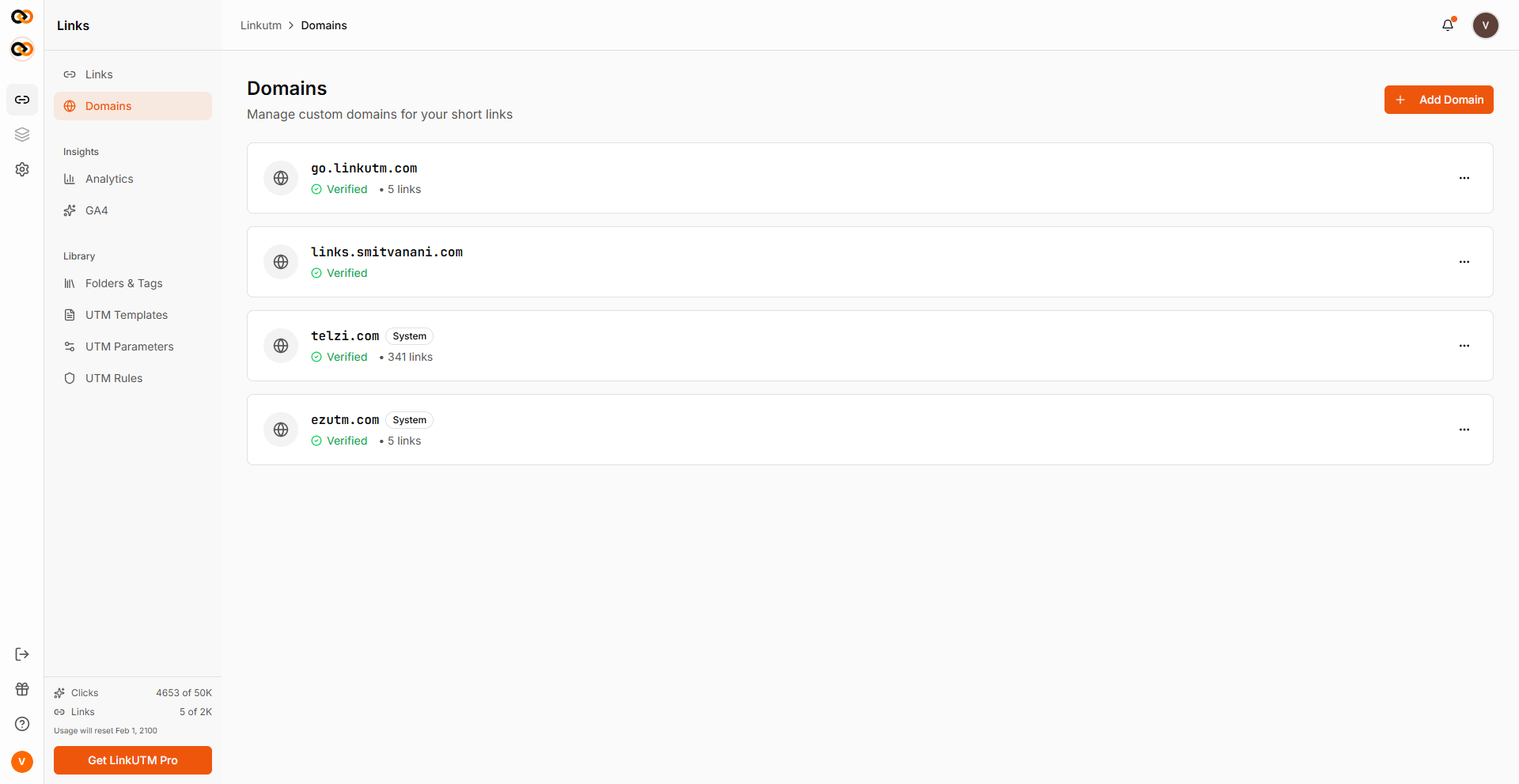
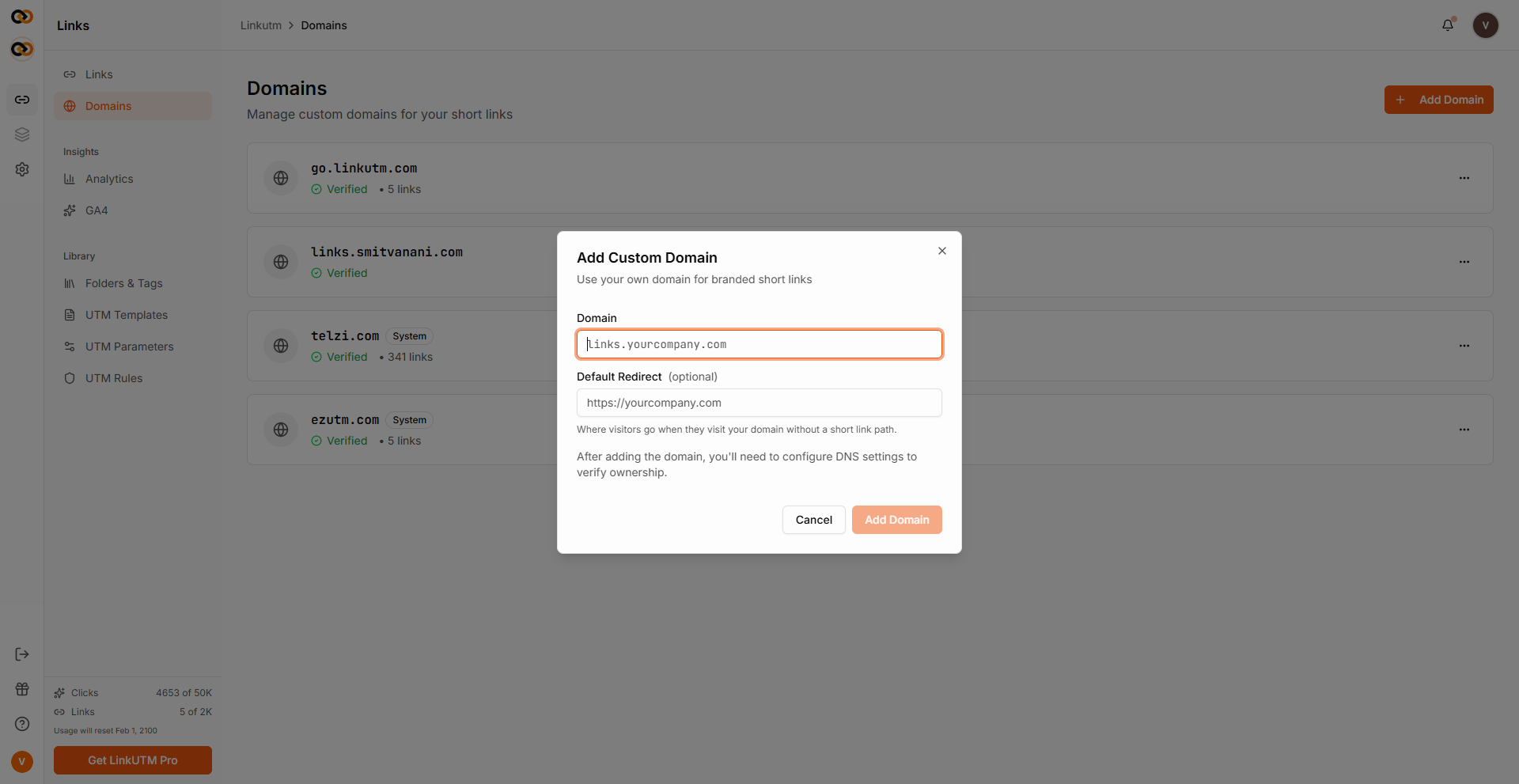
Sidebar → **Domains** → **Add Domain**. Enter `go.acme.com`. The system creates the record in `pending` status and shows you the CNAME target.
In your DNS provider (Cloudflare, Route 53, etc.):
| Type | Name | Value | TTL |
| ------- | ---- | ------------------- | -------- |
| `CNAME` | `go` | `cname.linkutm.com` | 300-3600 |
The exact CNAME target is shown in the Domains page after you add the domain.
If you use Cloudflare, set the record to **DNS only** (gray cloud), not proxied. Proxying breaks SSL provisioning.
Click **Verify** on the domain row. The system runs a CNAME lookup against your DNS. Status flips to `active` once the CNAME points correctly. SSL is issued automatically within \~1 minute.
Mark the domain as **Default** so new links use it without picking. Only one default per workspace.
 ## Real-world example
Acme has two brands, two domains:
```
Workspace: Acme Main
Domain: go.acme.com (default, verified, active)
Workspace: Acme Pro
Domain: pro.acme.link (default, verified, active)
```
Marketers in Acme Main create links on `go.acme.com`; Pro team on `pro.acme.link`. Per-workspace branding stays clean.
## Common mistakes
Orange-cloud (proxied) stops verification and the secure certificate from working. Set to gray-cloud (DNS only).
`acme.com` directly is rarely a good idea - most DNS providers won't allow CNAME at apex, and it conflicts with your main site. Use a subdomain.
DNS changes can take minutes to hours. If verification fails, wait a few minutes and try again.
Returns an error if any link uses it. Reassign or delete the links first.
## Edge cases
**Domain limit.** Each workspace has a maximum number of custom domains. If you reach it, remove an unused one before adding another.
**Renaming a domain.** Editing the `domain` field resets verification. Re-verify after the rename.
**System default cannot be deleted.** It exists for new workspaces to function out of the box.
## Real-world example
Acme has two brands, two domains:
```
Workspace: Acme Main
Domain: go.acme.com (default, verified, active)
Workspace: Acme Pro
Domain: pro.acme.link (default, verified, active)
```
Marketers in Acme Main create links on `go.acme.com`; Pro team on `pro.acme.link`. Per-workspace branding stays clean.
## Common mistakes
Orange-cloud (proxied) stops verification and the secure certificate from working. Set to gray-cloud (DNS only).
`acme.com` directly is rarely a good idea - most DNS providers won't allow CNAME at apex, and it conflicts with your main site. Use a subdomain.
DNS changes can take minutes to hours. If verification fails, wait a few minutes and try again.
Returns an error if any link uses it. Reassign or delete the links first.
## Edge cases
**Domain limit.** Each workspace has a maximum number of custom domains. If you reach it, remove an unused one before adding another.
**Renaming a domain.** Editing the `domain` field resets verification. Re-verify after the rename.
**System default cannot be deleted.** It exists for new workspaces to function out of the box.