> ## Documentation Index
> Fetch the complete documentation index at: https://docs.linkutm.com/llms.txt
> Use this file to discover all available pages before exploring further.
# Click limit
> Cap a link at a maximum number of clicks, then stop or redirect it
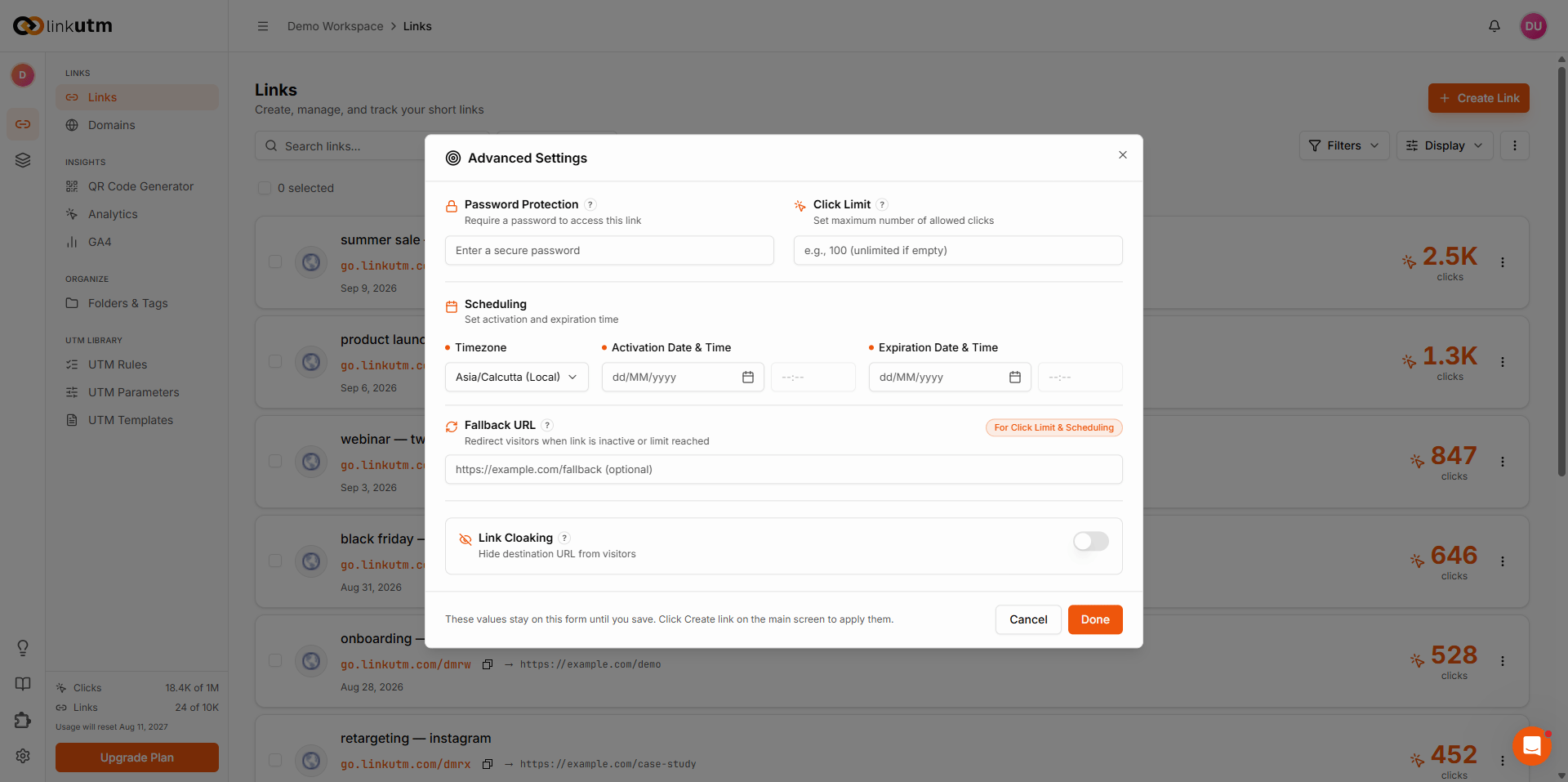
A click limit caps a link at a maximum number of clicks. The counter increments on each real visit, and once the limit is reached the link stops sending visitors to its destination. They go to the [fallback URL](/links/link-expiration) if one is set, otherwise they see a "not found" response. It is set in the same Advanced panel as [scheduling and expiration](/links/link-expiration).
## When to use it
* Capping a giveaway or promo link at a fixed number of redemptions.
* Limiting early-access or beta links to the first N visitors.
* Enforcing a hard ceiling on a paid placement you only bought so many clicks for.
## How to use it
In the create or edit link panel, click **Advanced** in the bottom bar.
Type a number in **Click Limit**. The counter increments on each real visit. Once the limit is reached, the link stops redirecting.
Enter a **Fallback Redirect URL** to send visitors somewhere useful after the limit is hit. Without one, they see a "not found" response.
The limit is stored on the link. Counting and cutoff happen automatically.
 ## Real-world example
A product giveaway capped at the first 500 entries, with a fallback to the waitlist:
```
Destination: https://acme.com/giveaway
Click limit: 500
Fallback URL: https://acme.com/waitlist
utm_source: instagram
utm_campaign: launch_giveaway
```
The first 500 visitors reach the giveaway. Everyone after lands on the waitlist instead of a dead page. Every click stays in analytics.
## Common mistakes
Clicks can spike fast. A limit of 100 on a link that suddenly gets 50,000 impressions cuts off almost everyone. Set a limit only when a hard cap is the actual intent.
Without a fallback, visitors after the limit see a "not found" response. Set a fallback so they land somewhere useful.
The limit is a lifetime total for the link, not per day. Once hit, it stays hit until you raise the limit.
## Edge cases
**Click limit vs. expiration.** Both stop the link when triggered. If both are set, whichever condition is hit first stops the link. The fallback URL applies in both cases. See [scheduling and expiration](/links/link-expiration).
**Past clicks stay in analytics.** Reaching the limit only stops new redirects. Clicks already recorded remain in reporting.
**Raising the limit reactivates the link.** If a link has stopped at its limit, increasing the number lets it redirect again from the next visit.
## Real-world example
A product giveaway capped at the first 500 entries, with a fallback to the waitlist:
```
Destination: https://acme.com/giveaway
Click limit: 500
Fallback URL: https://acme.com/waitlist
utm_source: instagram
utm_campaign: launch_giveaway
```
The first 500 visitors reach the giveaway. Everyone after lands on the waitlist instead of a dead page. Every click stays in analytics.
## Common mistakes
Clicks can spike fast. A limit of 100 on a link that suddenly gets 50,000 impressions cuts off almost everyone. Set a limit only when a hard cap is the actual intent.
Without a fallback, visitors after the limit see a "not found" response. Set a fallback so they land somewhere useful.
The limit is a lifetime total for the link, not per day. Once hit, it stays hit until you raise the limit.
## Edge cases
**Click limit vs. expiration.** Both stop the link when triggered. If both are set, whichever condition is hit first stops the link. The fallback URL applies in both cases. See [scheduling and expiration](/links/link-expiration).
**Past clicks stay in analytics.** Reaching the limit only stops new redirects. Clicks already recorded remain in reporting.
**Raising the limit reactivates the link.** If a link has stopped at its limit, increasing the number lets it redirect again from the next visit.