> ## Documentation Index
> Fetch the complete documentation index at: https://docs.linkutm.com/llms.txt
> Use this file to discover all available pages before exploring further.
# Device targeting
> Send mobile visitors to a different destination based on their device.
Device targeting lets you set separate destination URLs for iPhone/iPad visitors and Android visitors. Everyone else (desktop, other mobile devices) goes to the standard destination. All three paths are tracked as clicks in analytics. UTM parameters set on the link are appended to the iOS and Android URLs as well as the standard destination.
## When to use it
* Sending iOS visitors to your App Store listing and Android visitors to Google Play, while desktop visitors land on your website.
* Directing mobile users to a mobile-optimised version of a page that desktop users don't need.
* Running a campaign where the destination differs by device without needing separate links.
## How to use it
In the create or edit link panel, click **Advanced** in the bottom bar.
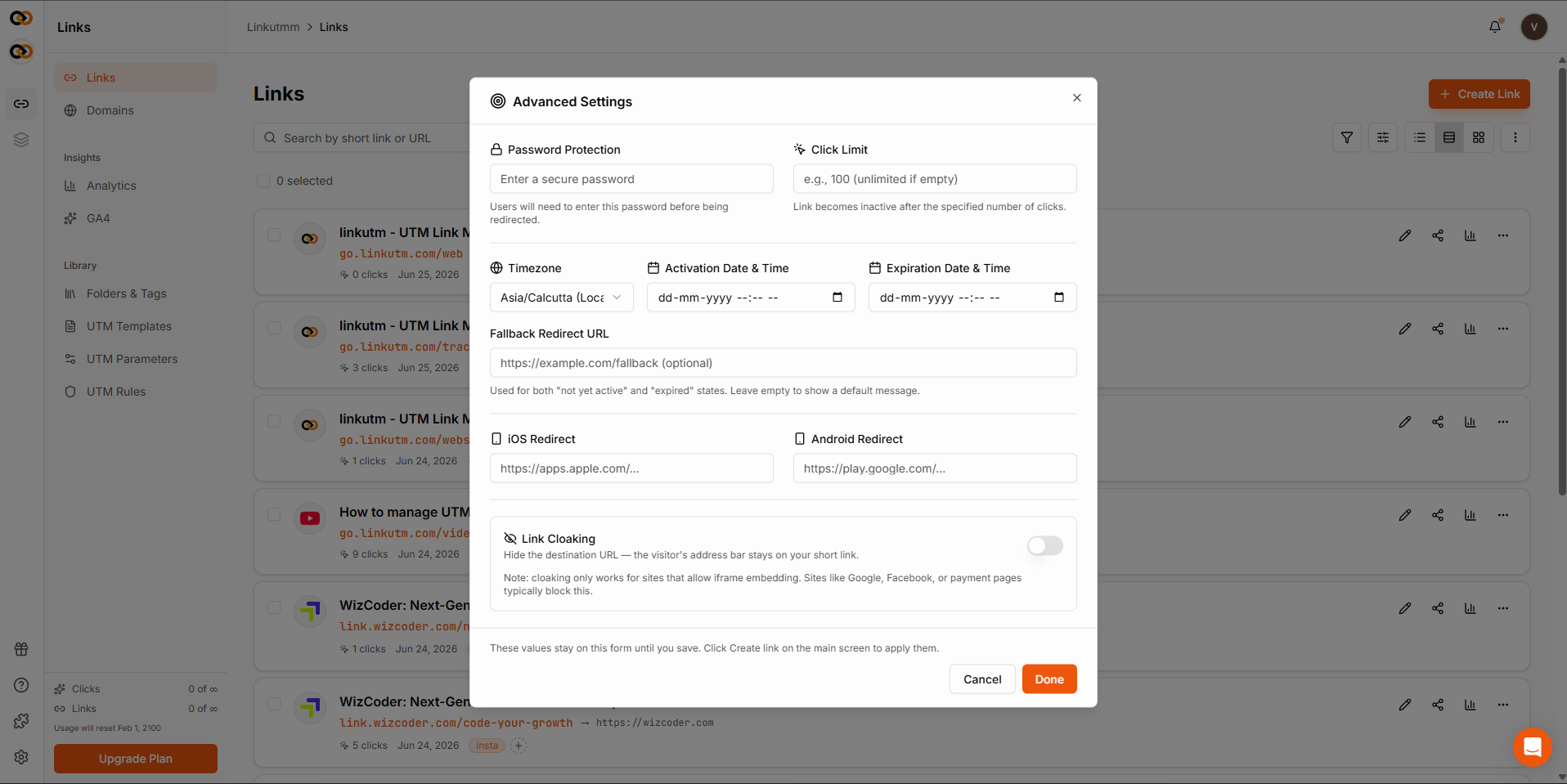 In the **iOS Redirect URL** field, enter the full URL for iPhone and iPad visitors. Leave blank to send iOS visitors to the standard destination.
In the **Android Redirect URL** field, enter the full URL for Android visitors. Leave blank to send Android visitors to the standard destination.
The redirect is stored on the link. Routing happens automatically on every visit.
## Real-world example
A mobile app launch campaign with one short link covering all devices:
```
Destination: https://acme.com/app (desktop visitors)
iOS URL: https://apps.apple.com/app/acme (iPhone / iPad)
Android URL: https://play.google.com/store/apps/acme (Android)
utm_source: instagram
utm_campaign: app_launch_jun25
```
One link in the bio. iOS users go to App Store, Android users go to Google Play, everyone else lands on the web page. Every visitor arrives with `utm_source=instagram` and `utm_campaign=app_launch_jun25` appended, whichever destination they hit.
## Common mistakes
linkutm appends the link's UTM parameters to the iOS and Android URLs automatically. There is no need to build tracking parameters into those URLs. Set UTMs once on the link and leave device URLs clean.
If you fill iOS URL but leave Android URL blank, Android visitors go to the standard destination. That may be intentional, but double-check before saving.
## Edge cases
**Detection is based on the visitor's device, not browser.** iPad counts as iOS. Android tablets count as Android. Desktops, Windows phones, and other devices fall through to the standard destination.
**Password-protected links.** If the link has a password, device routing happens after the visitor enters the correct password.
In the **iOS Redirect URL** field, enter the full URL for iPhone and iPad visitors. Leave blank to send iOS visitors to the standard destination.
In the **Android Redirect URL** field, enter the full URL for Android visitors. Leave blank to send Android visitors to the standard destination.
The redirect is stored on the link. Routing happens automatically on every visit.
## Real-world example
A mobile app launch campaign with one short link covering all devices:
```
Destination: https://acme.com/app (desktop visitors)
iOS URL: https://apps.apple.com/app/acme (iPhone / iPad)
Android URL: https://play.google.com/store/apps/acme (Android)
utm_source: instagram
utm_campaign: app_launch_jun25
```
One link in the bio. iOS users go to App Store, Android users go to Google Play, everyone else lands on the web page. Every visitor arrives with `utm_source=instagram` and `utm_campaign=app_launch_jun25` appended, whichever destination they hit.
## Common mistakes
linkutm appends the link's UTM parameters to the iOS and Android URLs automatically. There is no need to build tracking parameters into those URLs. Set UTMs once on the link and leave device URLs clean.
If you fill iOS URL but leave Android URL blank, Android visitors go to the standard destination. That may be intentional, but double-check before saving.
## Edge cases
**Detection is based on the visitor's device, not browser.** iPad counts as iOS. Android tablets count as Android. Desktops, Windows phones, and other devices fall through to the standard destination.
**Password-protected links.** If the link has a password, device routing happens after the visitor enters the correct password.