> ## Documentation Index
> Fetch the complete documentation index at: https://docs.linkutm.com/llms.txt
> Use this file to discover all available pages before exploring further.
# Geo targeting
> Redirect visitors to different destinations based on their country.
Geo targeting lets you set a separate destination URL for each country. Visitors from a country with a rule go to that URL. Everyone else goes to the standard destination. All paths are tracked as clicks in analytics. UTM parameters set on the link are appended to country URLs as well as the standard destination.
## When to use it
* Sending US visitors to a pricing page in USD and EU visitors to one in EUR.
* Directing visitors to a country-specific landing page without creating separate links.
* Complying with regional content restrictions by routing certain countries to an appropriate page.
* Running localised campaigns from a single shared link.
## How to use it
Create a new link or open an existing one for editing.
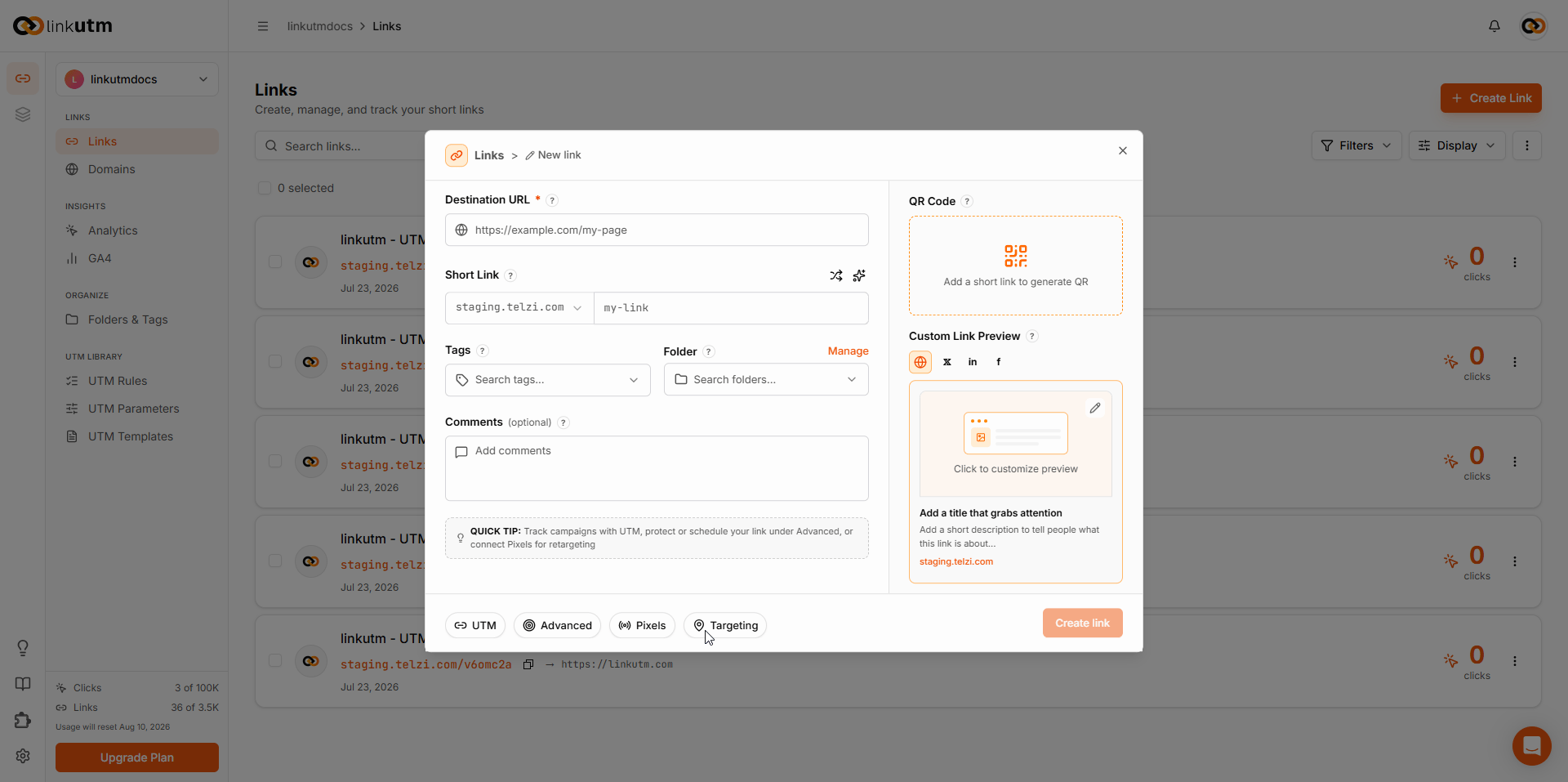 Click **Targeting** in the bottom bar. The geo targeting panel opens.
Toggle **Redirect by country** on.
Click **+ Add location**. Select a country from the dropdown and enter the destination URL for that country. Repeat for each country you want to target.
Click **Targeting** in the bottom bar. The geo targeting panel opens.
Toggle **Redirect by country** on.
Click **+ Add location**. Select a country from the dropdown and enter the destination URL for that country. Repeat for each country you want to target.
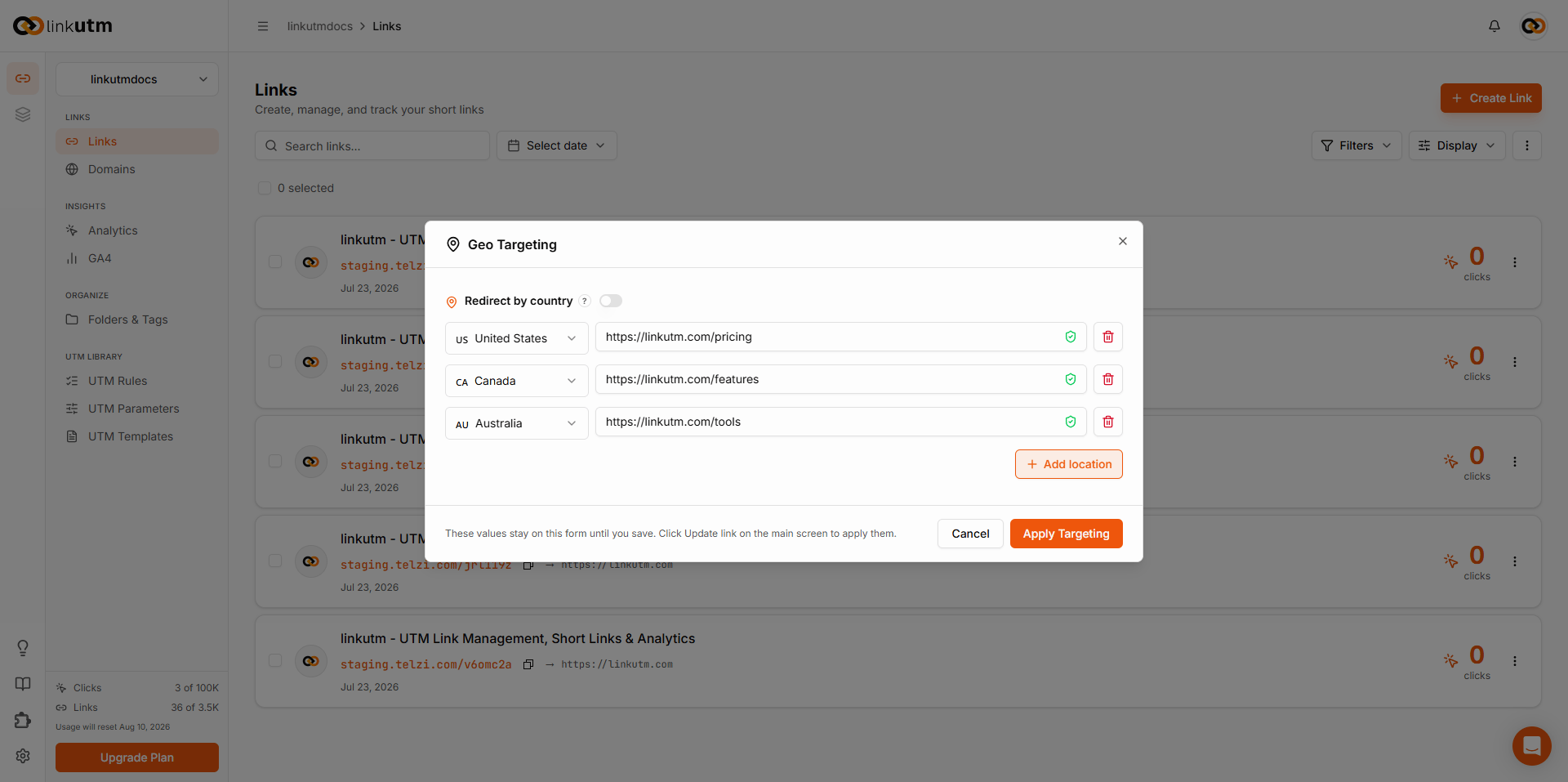 Click **Apply Targeting**, then save or update the link. Rules are not applied until the link is saved.
## Real-world example
A SaaS product running one campaign link across three regions:
```
Destination: https://acme.com/pricing (all other countries)
United States: https://acme.com/pricing-usd
Canada: https://acme.com/pricing-cad
Australia: https://acme.com/pricing-aud
utm_source: email
utm_campaign: pricing_launch_jul26
```
US, CA, and AU visitors each land on a localised pricing page. Every other country hits the default. Every visitor arrives with `utm_source=email` and `utm_campaign=pricing_launch_jul26` appended, whichever destination they hit. All clicks tracked under one link.
## Common mistakes
Apply Targeting saves the rules to the form, not to the link. The note in the panel confirms this. Always click **Update link** on the main screen after applying.
Country rules have no effect if Redirect by country is toggled off. The link falls back to the standard destination for all visitors regardless of rules set.
linkutm appends the link's UTM parameters to country URLs automatically. There is no need to build tracking parameters into those URLs. Set UTMs once on the link and leave country URLs clean.
## Edge cases
**Country not in the list.** Visitors from a country with no rule go to the standard destination. There is no fallback rule or catch-all country option.
**VPN and proxy visitors.** Country detection uses the visitor's IP. Visitors on a VPN may resolve to the wrong country and receive an unintended destination.
Click **Apply Targeting**, then save or update the link. Rules are not applied until the link is saved.
## Real-world example
A SaaS product running one campaign link across three regions:
```
Destination: https://acme.com/pricing (all other countries)
United States: https://acme.com/pricing-usd
Canada: https://acme.com/pricing-cad
Australia: https://acme.com/pricing-aud
utm_source: email
utm_campaign: pricing_launch_jul26
```
US, CA, and AU visitors each land on a localised pricing page. Every other country hits the default. Every visitor arrives with `utm_source=email` and `utm_campaign=pricing_launch_jul26` appended, whichever destination they hit. All clicks tracked under one link.
## Common mistakes
Apply Targeting saves the rules to the form, not to the link. The note in the panel confirms this. Always click **Update link** on the main screen after applying.
Country rules have no effect if Redirect by country is toggled off. The link falls back to the standard destination for all visitors regardless of rules set.
linkutm appends the link's UTM parameters to country URLs automatically. There is no need to build tracking parameters into those URLs. Set UTMs once on the link and leave country URLs clean.
## Edge cases
**Country not in the list.** Visitors from a country with no rule go to the standard destination. There is no fallback rule or catch-all country option.
**VPN and proxy visitors.** Country detection uses the visitor's IP. Visitors on a VPN may resolve to the wrong country and receive an unintended destination.