> ## Documentation Index
> Fetch the complete documentation index at: https://docs.linkutm.com/llms.txt
> Use this file to discover all available pages before exploring further.
# Short links
> How short codes work, when to customize them, and what makes one valid.
The short code is the path after your short domain: `go.acme.com/{shortCode}`. linkutm stores one mapping per code; clicks on the code redirect to your full UTM-tagged destination URL.
## When to use it
* Always - every link gets a short code, auto-generated or custom.
* When the slug appears in print, on a podcast read, or anywhere a human reads it aloud.
* Skip customization for ads - auto-generated codes are fine and prevent typos.
## How to set one
Leave the **Custom slug** field empty when creating a link. linkutm generates a short code automatically.
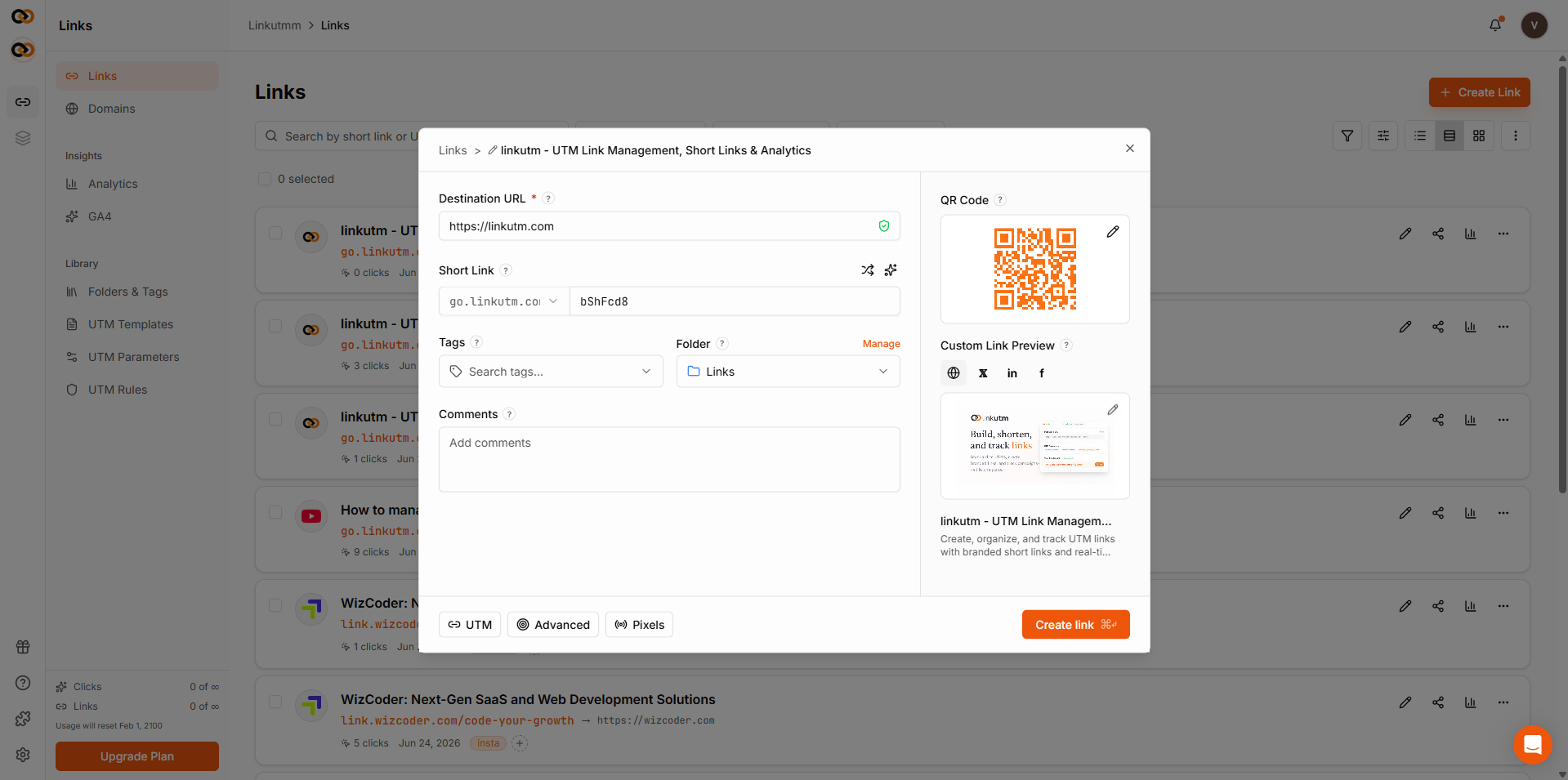 Type your slug in the **Custom slug** field. Allowed: lowercase letters, numbers, hyphens. Keep it short - 3-15 chars reads best.
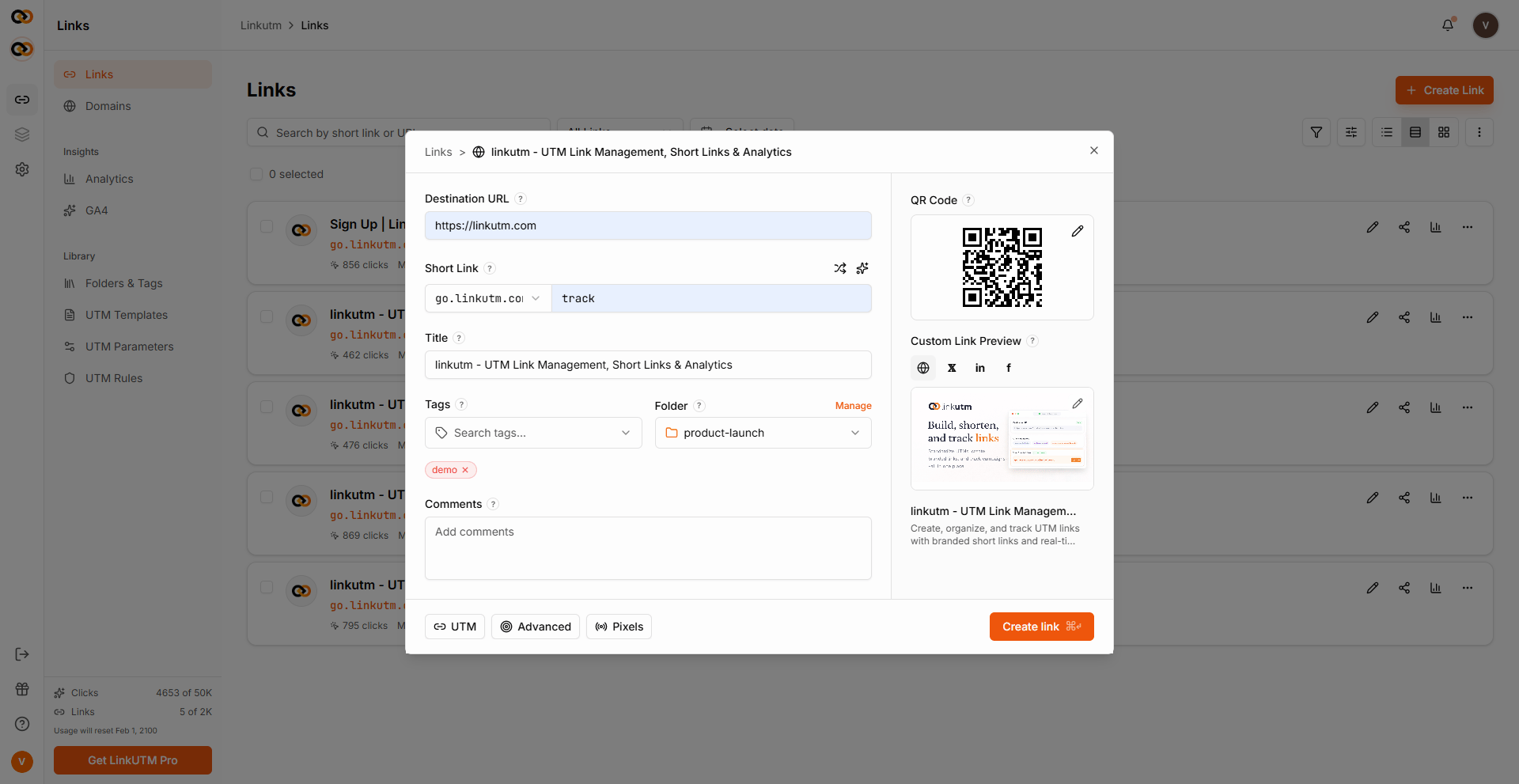 ## Real-world example
| Use case | Slug strategy | Example |
| -------------------- | --------------------- | ---------------------- |
| Paid ads | Auto-generated | `go.acme.com/k7m2qpz` |
| Email newsletter CTA | Auto or themed | `go.acme.com/may-deal` |
| Podcast read | Memorable, brand-tied | `go.acme.com/acme-pod` |
| QR on print | Short, no ambiguity | `go.acme.com/menu` |
## Common mistakes
Short codes are globally unique across linkutm. If the system says *"already exists"*, pick another - even if no one in your workspace uses it.
`q2-2025-product-launch-google-ads` defeats the purpose. Aim for ≤15 characters.
Only `a-z`, `0-9`, `-` allowed. Underscores, slashes, periods get rejected.
## Edge cases
**Renaming an existing slug.** Edit the link → change **Short code**. The old slug stops working immediately. All historical clicks remain attached to the link's analytics.
**System paths.** Slugs that collide with system paths (`api`, `health`, `docs`, `favicon.ico`) won't resolve through the redirect. Avoid these as custom slugs.
**Archived links.** Archiving a link does not stop it from redirecting. The link continues to work normally. Archive is for organization only.
**Expired links.** Once the expiration date passes, the link redirects to the fallback URL if one is set. Without a fallback URL, visitors see an error page.
## Real-world example
| Use case | Slug strategy | Example |
| -------------------- | --------------------- | ---------------------- |
| Paid ads | Auto-generated | `go.acme.com/k7m2qpz` |
| Email newsletter CTA | Auto or themed | `go.acme.com/may-deal` |
| Podcast read | Memorable, brand-tied | `go.acme.com/acme-pod` |
| QR on print | Short, no ambiguity | `go.acme.com/menu` |
## Common mistakes
Short codes are globally unique across linkutm. If the system says *"already exists"*, pick another - even if no one in your workspace uses it.
`q2-2025-product-launch-google-ads` defeats the purpose. Aim for ≤15 characters.
Only `a-z`, `0-9`, `-` allowed. Underscores, slashes, periods get rejected.
## Edge cases
**Renaming an existing slug.** Edit the link → change **Short code**. The old slug stops working immediately. All historical clicks remain attached to the link's analytics.
**System paths.** Slugs that collide with system paths (`api`, `health`, `docs`, `favicon.ico`) won't resolve through the redirect. Avoid these as custom slugs.
**Archived links.** Archiving a link does not stop it from redirecting. The link continues to work normally. Archive is for organization only.
**Expired links.** Once the expiration date passes, the link redirects to the fallback URL if one is set. Without a fallback URL, visitors see an error page.