> ## Documentation Index
> Fetch the complete documentation index at: https://docs.linkutm.com/llms.txt
> Use this file to discover all available pages before exploring further.
# UTM rules
> Workspace-wide validation and standardization that runs on every link save.
Setting up UTM Rules for the first time? Start with the [UTM naming convention](/playbooks/utm-naming-convention) playbook to define your approved source, medium, and campaign values before configuring the rules engine.
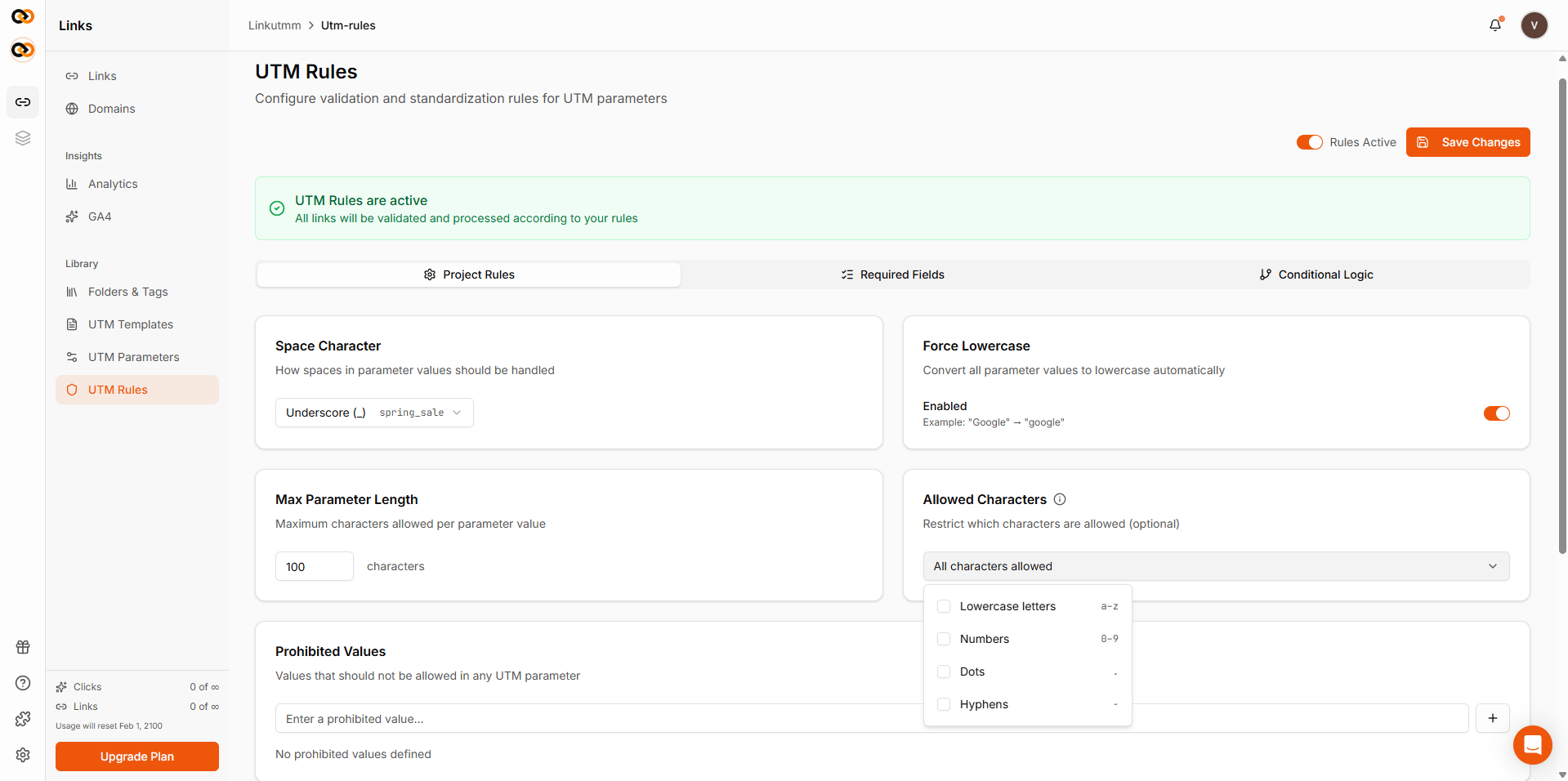
UTM Rules is a set of rules that runs whenever a link is created or updated. One rule set per workspace. It applies in this order:
1. **Force lowercase** (default ON) - `Summer_Sale` → `summer_sale`
2. **Space replacement** (default `_`) - `summer sale` → `summer_sale`
3. **Max length** (default 100) - reject values longer than this
4. **Prohibited values** - fail if value contains any banned term
5. **Allowed characters** - fail if value contains characters outside the selected set (lowercase, numbers, dots, hyphens)
## When to use it
* Marketing team of more than one person - drift is guaranteed without rules.
* Anyone publishing UTMs to a shared analytics tool (GA, Mixpanel) where casing/typos create duplicate rows.
* Agencies enforcing client-specific naming conventions.
## How to configure
Sidebar → **UTM Rules**.
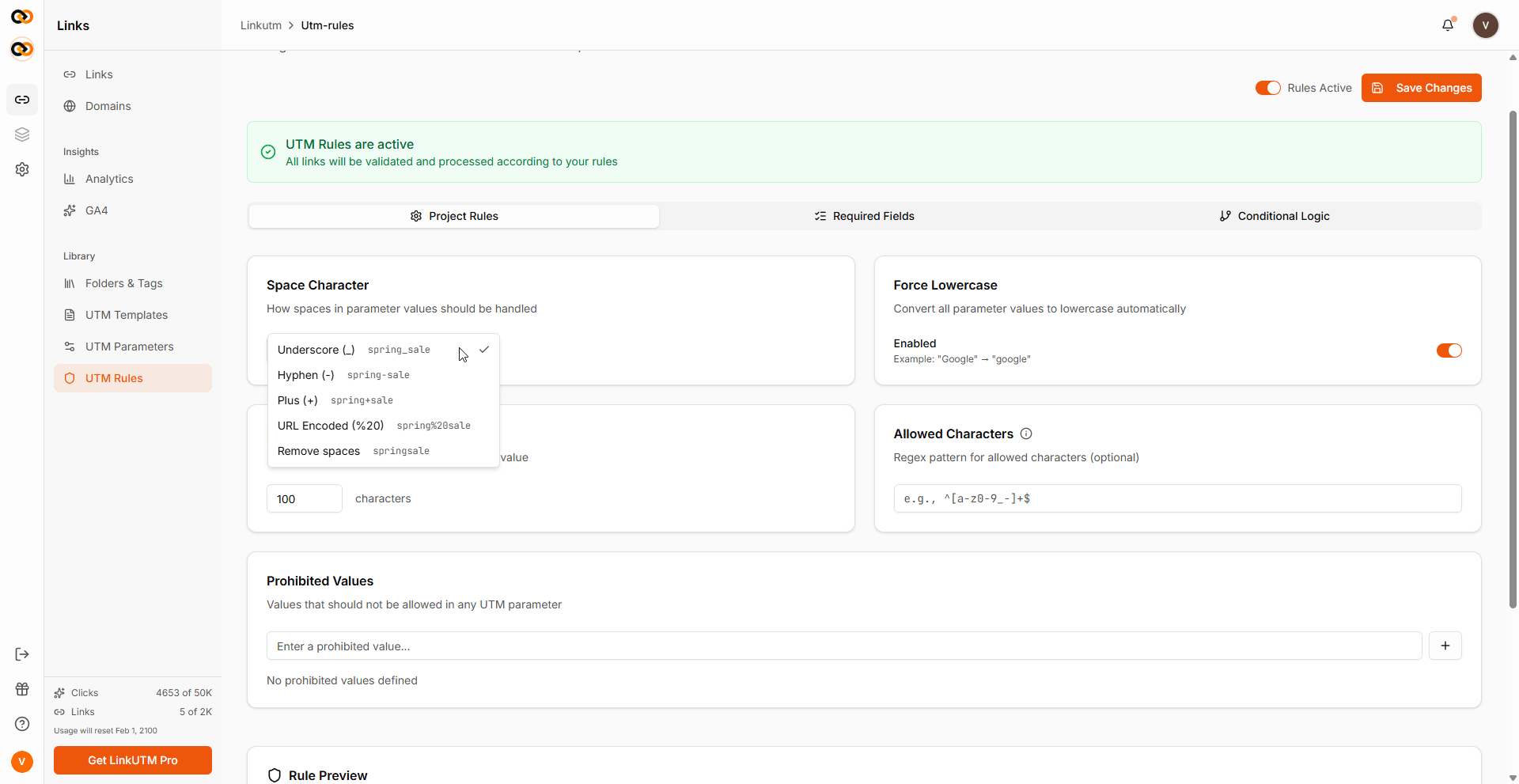 Try creating a link with bad values. Validation errors appear inline on the failing fields.
 ## Real-world example
```text theme={null}
forceLowercase: true
spaceCharacter: "_"
allowedCharactersRegex: "^[a-z0-9_-]+$"
prohibitedValues: ["test", "draft", "tbd"]
```
No more `Summer Sale!` slipping into prod.
```text theme={null}
Required field rule:
{
validationType: "not_empty",
requiredParameters: ["campaign"],
description: "Campaign name is required"
}
```
Every link must have `utm_campaign`.
```text theme={null}
Required field rule:
{
validationType: "allowed_values",
requiredParameters: ["source"],
allowedValues: ["google", "facebook", "linkedin", "newsletter"]
}
```
Anything outside the list fails.
```text theme={null}
Conditional logic rule:
if ifField=source, condition=equals, ifValue=google
then set thenSet=medium, toValue=cpc
```
Anyone picking `source=google` gets `medium=cpc` automatically.
**Force consistency across the whole team:**
* **Force lowercase**: on
* **Space character**: hyphen
* **Allowed characters**: select lowercase, numbers, dots, hyphens
* **Blocked values**: test, draft, tbd
No more `Summer Sale!` slipping into prod.
## Edge cases
**Rules cleaning vs validation.** Steps 1-2 (lowercase, space replacement) **transform** values silently. Steps 3-5 (length, prohibited, allowed characters) **reject** the save with errors.
**Default rules ship per workspace.** Every new workspace starts with force lowercase on, underscore for spaces, and a 100-character max length automatically. They CAN be turned off using the toggle given in the UTM rules panel but it is ON by default.
## Real-world example
```text theme={null}
forceLowercase: true
spaceCharacter: "_"
allowedCharactersRegex: "^[a-z0-9_-]+$"
prohibitedValues: ["test", "draft", "tbd"]
```
No more `Summer Sale!` slipping into prod.
```text theme={null}
Required field rule:
{
validationType: "not_empty",
requiredParameters: ["campaign"],
description: "Campaign name is required"
}
```
Every link must have `utm_campaign`.
```text theme={null}
Required field rule:
{
validationType: "allowed_values",
requiredParameters: ["source"],
allowedValues: ["google", "facebook", "linkedin", "newsletter"]
}
```
Anything outside the list fails.
```text theme={null}
Conditional logic rule:
if ifField=source, condition=equals, ifValue=google
then set thenSet=medium, toValue=cpc
```
Anyone picking `source=google` gets `medium=cpc` automatically.
**Force consistency across the whole team:**
* **Force lowercase**: on
* **Space character**: hyphen
* **Allowed characters**: select lowercase, numbers, dots, hyphens
* **Blocked values**: test, draft, tbd
No more `Summer Sale!` slipping into prod.
## Edge cases
**Rules cleaning vs validation.** Steps 1-2 (lowercase, space replacement) **transform** values silently. Steps 3-5 (length, prohibited, allowed characters) **reject** the save with errors.
**Default rules ship per workspace.** Every new workspace starts with force lowercase on, underscore for spaces, and a 100-character max length automatically. They CAN be turned off using the toggle given in the UTM rules panel but it is ON by default.