> ## Documentation Index
> Fetch the complete documentation index at: https://docs.linkutm.com/llms.txt
> Use this file to discover all available pages before exploring further.
# Create a template
> Save a UTM preset for a channel or campaign type.
Saving a named set of UTM values that can be applied to new links with one click.
## When to use it
You're about to type the same `utm_source` / `utm_medium` combination for the third time. Stop. Make a template.
## How to create one
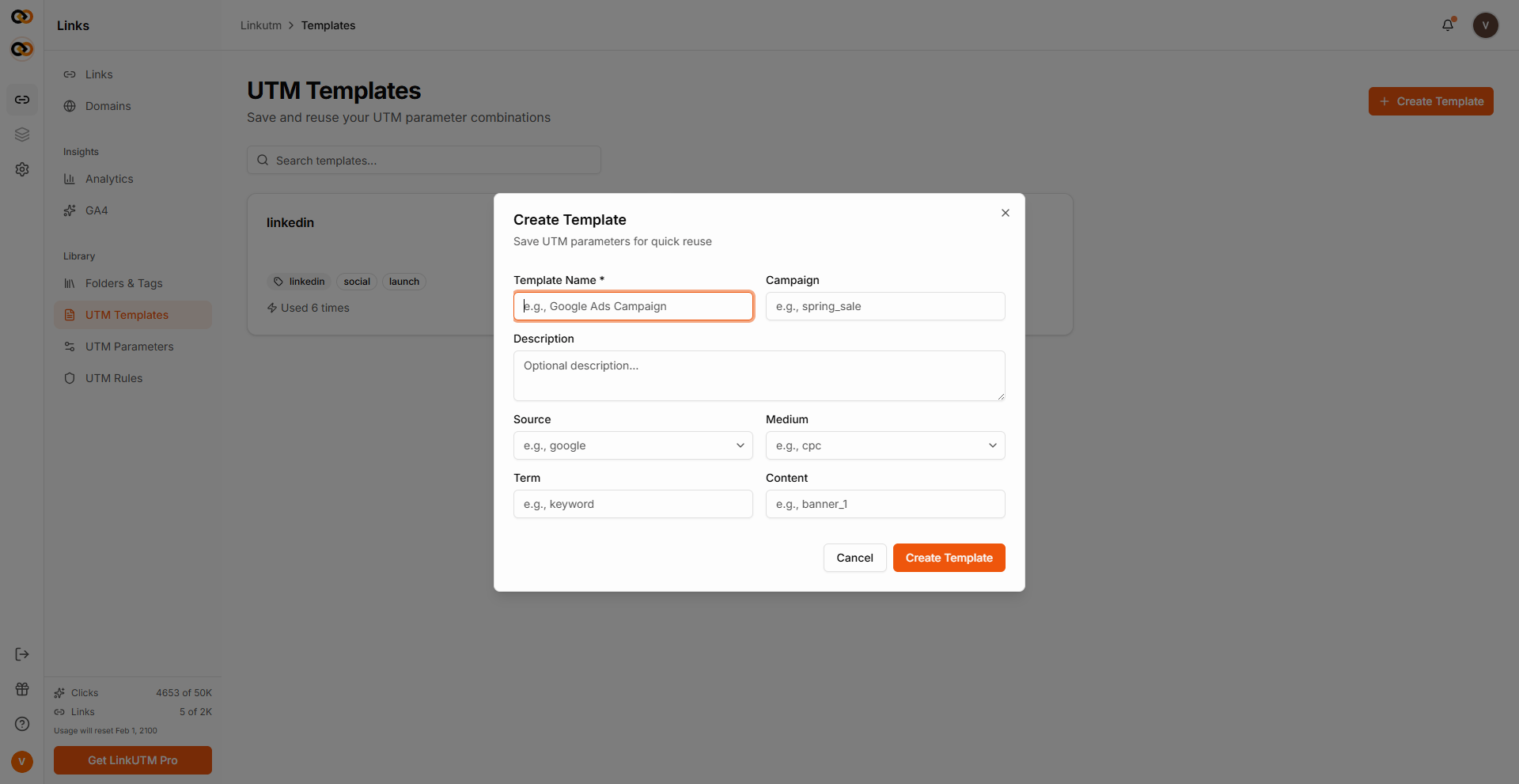
Sidebar → **UTM Templates** → **Create Template**.
Name shows in the template picker. Description is internal context - when to use this template.
Set the fields you want pre-filled. Leave any field blank if it's not common to the use case.
| Field | Set if | Leave blank if |
| -------------- | ---------------------------------------- | ---------------------------- |
| `utm_source` | Always | (always set) |
| `utm_medium` | Always | (always set) |
| `utm_campaign` | One template per recurring campaign | Per-link campaigns |
| `utm_term` | Paid search with stable keyword strategy | Otherwise |
| `utm_content` | Same creative across all links | Different creatives per link |
Template is immediately available in the link builder's template picker.
 ## Real-world example
Newsletter template - kept loose so one template covers all newsletters:
```
Name: Newsletter - generic
Description: Default for any weekly/monthly newsletter send
utm_source: newsletter
utm_medium: email
utm_campaign: (blank - set per send)
utm_term: (blank)
utm_content: (blank - set per CTA)
```
Per-link, the marketer fills `utm_campaign=weekly_digest_2025_w19` and `utm_content=hero_cta`.
## Common mistakes
`Newsletter - Week 19 - Hero CTA` becomes a single-use template. Make it generic; vary at link time.
`News - Email`, `Email/Newsletter`, `newsletter_email` all describe the same thing. Settle on a convention before the team builds 30 templates.
Six months in, "Q2 Launch - paid" is ambiguous. Describe **when** to use this template, not just what it sets.
## Edge cases
**Templates don't enforce.** A user can apply a template, then change every field. To enforce, use [UTM Rules](/utm-rules/overview) (required-field, allowed-values, conditional logic).
**Editing a template doesn't update past links.** Past links keep the values they had at save-time. Future links using the template get the new values.
## Real-world example
Newsletter template - kept loose so one template covers all newsletters:
```
Name: Newsletter - generic
Description: Default for any weekly/monthly newsletter send
utm_source: newsletter
utm_medium: email
utm_campaign: (blank - set per send)
utm_term: (blank)
utm_content: (blank - set per CTA)
```
Per-link, the marketer fills `utm_campaign=weekly_digest_2025_w19` and `utm_content=hero_cta`.
## Common mistakes
`Newsletter - Week 19 - Hero CTA` becomes a single-use template. Make it generic; vary at link time.
`News - Email`, `Email/Newsletter`, `newsletter_email` all describe the same thing. Settle on a convention before the team builds 30 templates.
Six months in, "Q2 Launch - paid" is ambiguous. Describe **when** to use this template, not just what it sets.
## Edge cases
**Templates don't enforce.** A user can apply a template, then change every field. To enforce, use [UTM Rules](/utm-rules/overview) (required-field, allowed-values, conditional logic).
**Editing a template doesn't update past links.** Past links keep the values they had at save-time. Future links using the template get the new values.