> ## Documentation Index
> Fetch the complete documentation index at: https://docs.linkutm.com/llms.txt
> Use this file to discover all available pages before exploring further.
# Manage templates
> Edit, sort, and audit usage of your templates.
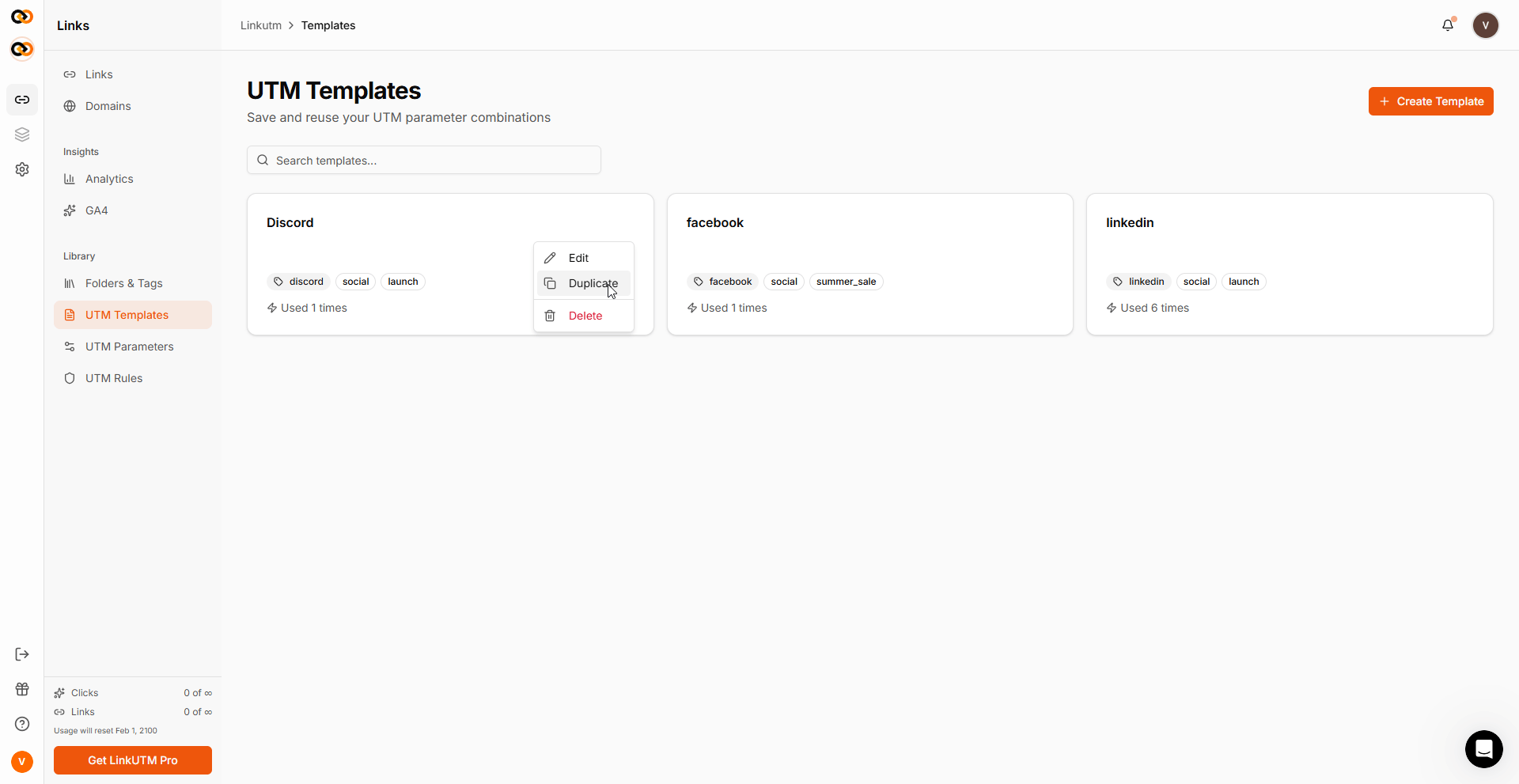
The Templates page shows all workspace templates with usage counts, status, and edit/delete actions.
## When to use it
* Quarterly cleanup of unused templates.
* Auditing which channels actually drive volume.
* Renaming templates after a brand/strategy shift.
## How to manage them
Sidebar → **UTM Templates**. Default sort: active templates first, then most-recently-created.
Search matches name, description, source, medium, campaign - useful when you have 50+ templates.
Each template shows the usage count - how many times it's been applied to a link. Templates with 0 uses after a month are candidates for cleanup.
Click any template → **Edit**. Update name, description, or any UTM field. Past links unaffected.
**Delete**: permanent. Past links keep their values, but the template is gone.
 ## Real-world example
Quarterly audit of an agency workspace:
| Template | Uses | Action |
| -------------------- | ---- | ------------------------- |
| Google Brand Search | 412 | Keep |
| Newsletter - generic | 287 | Keep |
| Test - Don't Use | 0 | Delete |
| Old Logo Refresh | 6 | Delete (retired strategy) |
## Common mistakes
Past links keep their original values. Edits affect future applications only.
## Edge cases
Use the *Most-used templates* section on the UTM Templates page to identify high-leverage templates worth refining.
## Real-world example
Quarterly audit of an agency workspace:
| Template | Uses | Action |
| -------------------- | ---- | ------------------------- |
| Google Brand Search | 412 | Keep |
| Newsletter - generic | 287 | Keep |
| Test - Don't Use | 0 | Delete |
| Old Logo Refresh | 6 | Delete (retired strategy) |
## Common mistakes
Past links keep their original values. Edits affect future applications only.
## Edge cases
Use the *Most-used templates* section on the UTM Templates page to identify high-leverage templates worth refining.