

go.acme.com/q2-launch instead of the system default. Your SSL certificate is set up automatically once the CNAME verifies.
When to use it
- Customer-facing channels: email, social, podcasts, packaging.
- Anywhere the URL is read by a human and brand trust matters.
- Multi-brand agencies running per-client domains.
How to set one up
1
Pick a subdomain
Recommended: a fresh subdomain like
go.acme.com, link.acme.com, acme.link. Don’t use a domain or subdomain already serving production traffic.2
Add the domain in linkutm
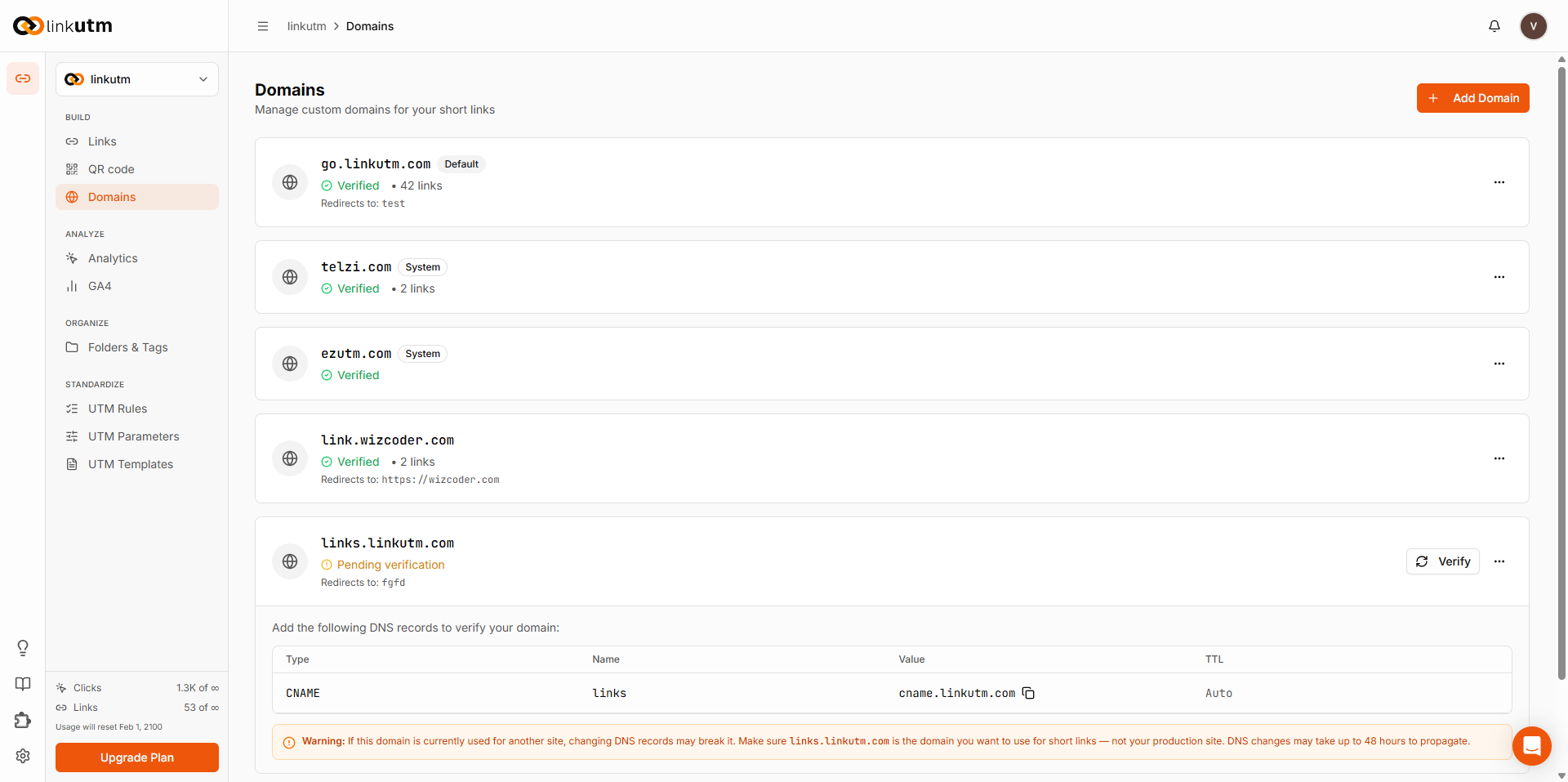
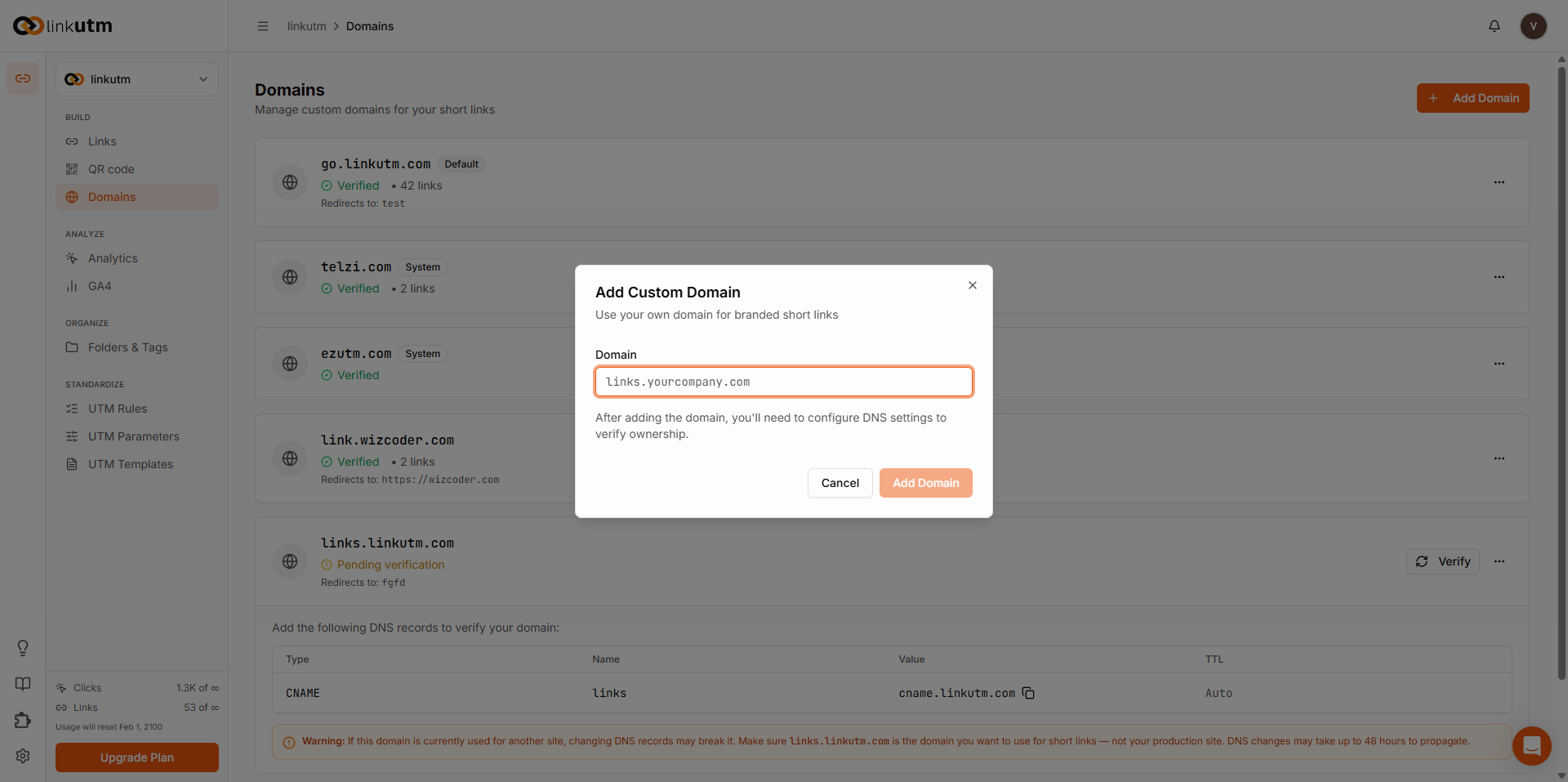
Sidebar → Domains → Add Domain. Enter
go.acme.com. The system creates the record in pending status and shows you the CNAME target.3
Configure DNS
In your DNS provider (Cloudflare, Route 53, etc.):
The exact CNAME target is shown in the Domains page after you add the domain.
4
Verify
Click Verify on the domain row. The system runs a CNAME lookup against your DNS. Status flips to
active once the CNAME points correctly. SSL is issued automatically within ~1 minute.5
Set as default (optional)
Mark the domain as Default so new links use it without picking. Only one default per workspace.
Real-world example
Acme has two brands, two domains:go.acme.com; Pro team on pro.acme.link. Per-workspace branding stays clean.
Common mistakes
Cloudflare proxy enabled
Cloudflare proxy enabled
Orange-cloud (proxied) stops verification and the secure certificate from working. Set to gray-cloud (DNS only).
Apex domain (no subdomain)
Apex domain (no subdomain)
acme.com directly is rarely a good idea - most DNS providers won’t allow CNAME at apex, and it conflicts with your main site. Use a subdomain.Verifying before DNS propagates
Verifying before DNS propagates
DNS changes can take minutes to hours. If verification fails, wait a few minutes and try again.
Deleting a domain that has links
Deleting a domain that has links
Returns an error if any link uses it. Reassign or delete the links first.
Edge cases
Domain limit. Each workspace has a maximum number of custom domains. If you reach it, remove an unused one before adding another.
Renaming a domain. Editing the
domain field resets verification. Re-verify after the rename.System default cannot be deleted. It exists for new workspaces to function out of the box.