

- Force lowercase (default ON) -
Summer_Sale→summer_sale - Space replacement (default
_) -summer sale→summer_sale - Max length (default 100) - reject values longer than this
- Prohibited values - fail if value contains any banned term
- Allowed characters - fail if value contains characters outside the selected set (lowercase, numbers, dots, hyphens)
When to use it
- Marketing team of more than one person - drift is guaranteed without rules.
- Anyone publishing UTMs to a shared analytics tool (GA, Mixpanel) where casing/typos create duplicate rows.
- Agencies enforcing client-specific naming conventions.
How to configure
1
Open the rules page
Sidebar → UTM Rules.
2
Set the rules
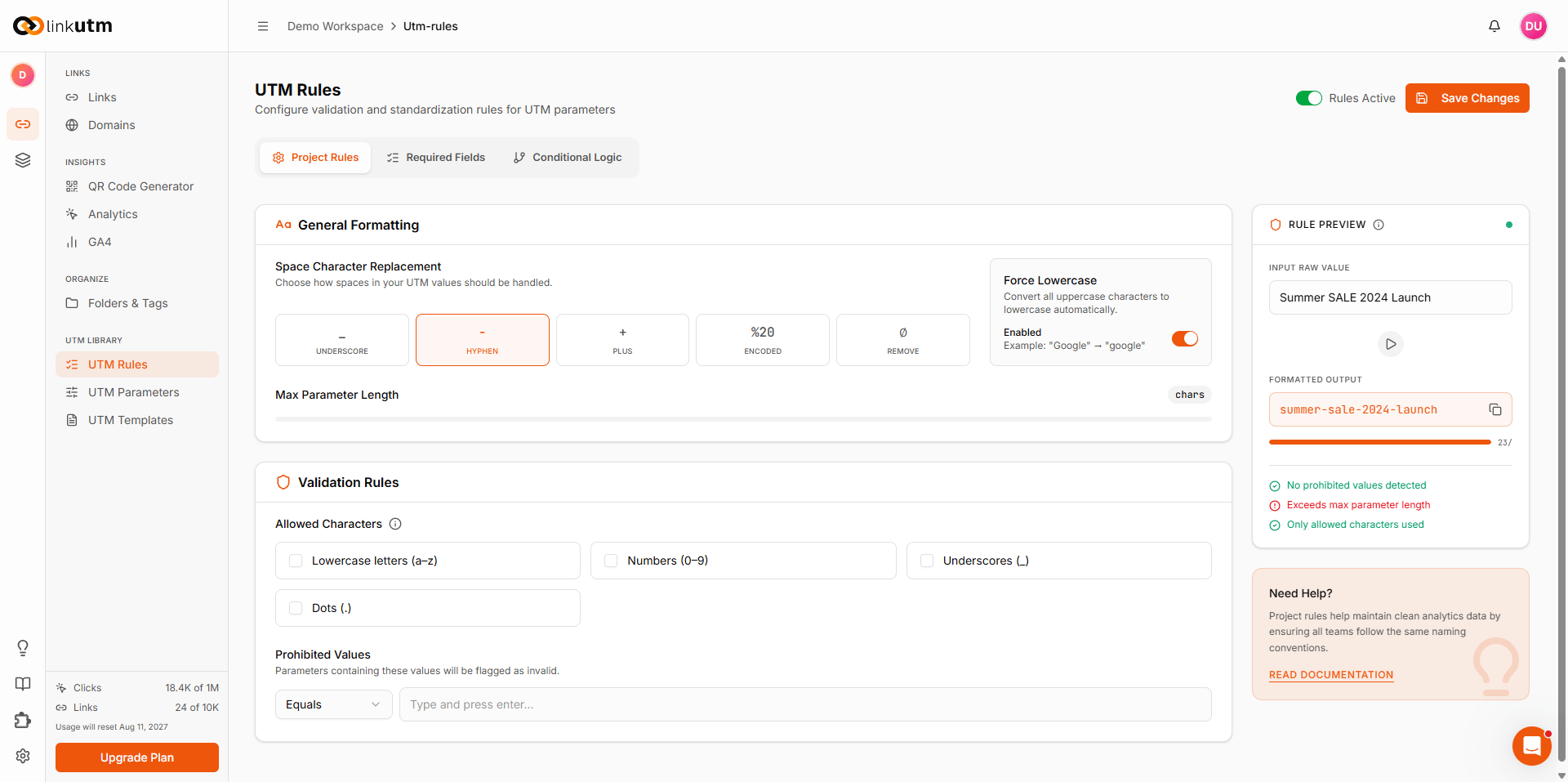
Configure the rules described below, then toggle Rules Active on. The Rule Preview panel shows how a sample value is transformed.
3
Save and test
Click Save Changes. Try creating a link with bad values. Validation errors appear inline on the failing fields.
What each rule does
- Space character replacement. Choose how spaces in a value are handled: underscore, hyphen, plus, URL encoded, or removed. With hyphen selected,
summer salebecomessummer-sale. - Force lowercase. Converts every value to lowercase.
Summer_Salebecomessummer_sale. On by default. - Max parameter length. Rejects any value longer than the set number of characters.
- Allowed characters. Rejects values containing characters outside the selected sets: lowercase letters, numbers, underscores, dots.
- Prohibited values. Flags a value as invalid when it matches a banned term, such as
testordraft.
Real-world example
Force consistency across the whole team:Summer Sale!. It is lowercased and spaced to summer-sale, and a value like test-draft is rejected on save. No more inconsistent campaign names slipping into your analytics.
Edge cases
Rules cleaning vs validation. Steps 1-2 (lowercase, space replacement) transform values silently. Steps 3-5 (length, prohibited, allowed characters) reject the save with errors.
Default rules ship per workspace. Every new workspace starts with force lowercase on, underscore for spaces, and a 100-character max length automatically. They CAN be turned off using the toggle given in the UTM rules panel but it is ON by default.