

When to use it
- Sending iOS visitors to your App Store listing and Android visitors to Google Play, while desktop visitors land on your website.
- Directing mobile users to a mobile-optimised version of a page that desktop users don’t need.
- Running a campaign where the destination differs by device without needing separate links.
How to use it
1
Open Targeting
In the create or edit link panel, click Targeting in the bottom bar.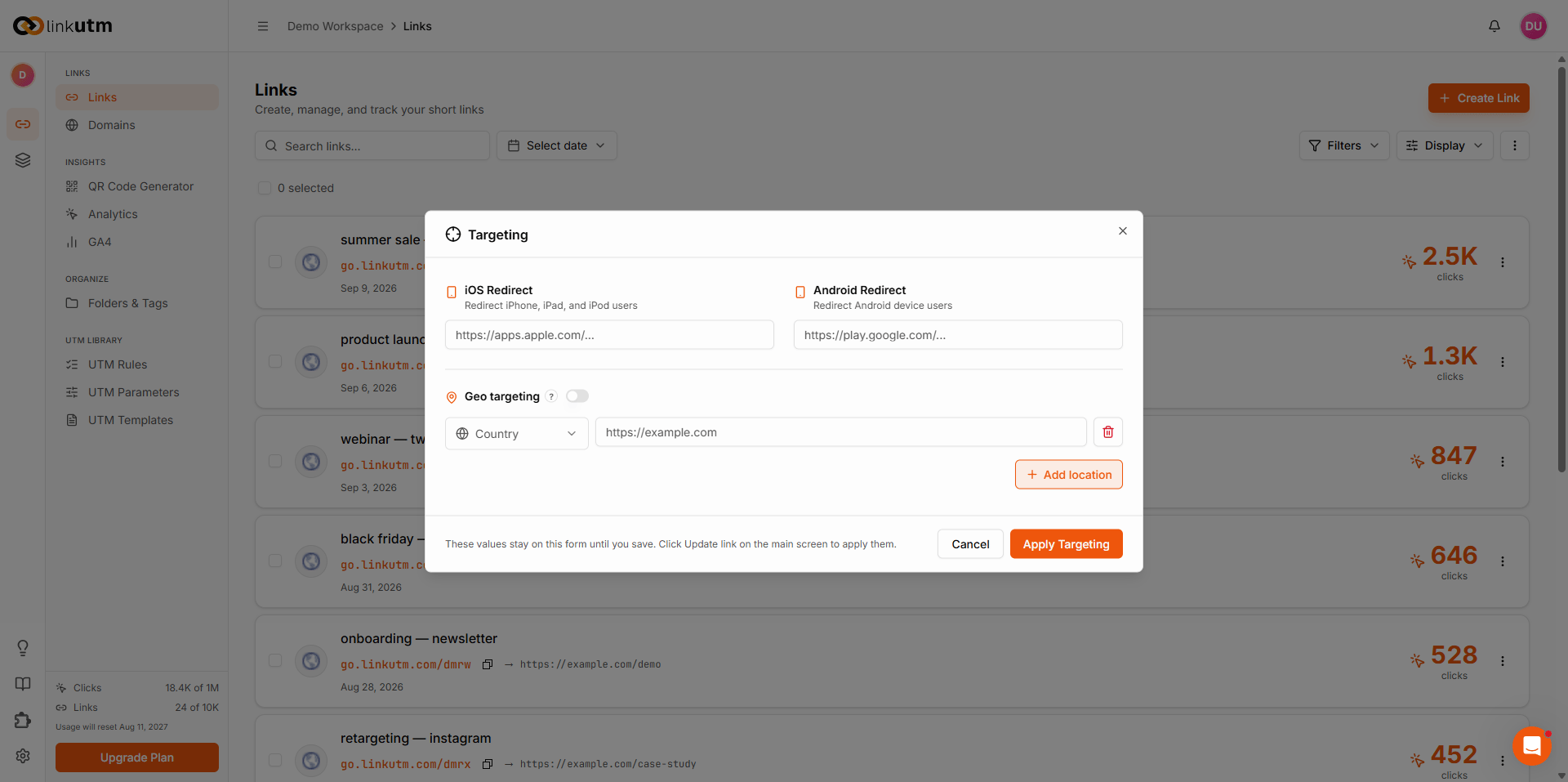
2
Set the iOS URL
In the iOS Redirect URL field, enter the full URL for iPhone and iPad visitors. Leave blank to send iOS visitors to the standard destination.
3
Set the Android URL
In the Android Redirect URL field, enter the full URL for Android visitors. Leave blank to send Android visitors to the standard destination.
4
Save
The redirect is stored on the link. Routing happens automatically on every visit.
Real-world example
A mobile app launch campaign with one short link covering all devices:utm_source=instagram and utm_campaign=app_launch_jun25 appended, whichever destination they hit.
Common mistakes
Adding UTM parameters manually to device URLs
Adding UTM parameters manually to device URLs
linkutm appends the link’s UTM parameters to the iOS and Android URLs automatically. There is no need to build tracking parameters into those URLs. Set UTMs once on the link and leave device URLs clean.
Leaving one field blank unintentionally
Leaving one field blank unintentionally
If you fill iOS URL but leave Android URL blank, Android visitors go to the standard destination. That may be intentional, but double-check before saving.
Edge cases
Detection is based on the visitor’s device, not browser. iPad counts as iOS. Android tablets count as Android. Desktops, Windows phones, and other devices fall through to the standard destination.
Password-protected links. If the link has a password, device routing happens after the visitor enters the correct password.