

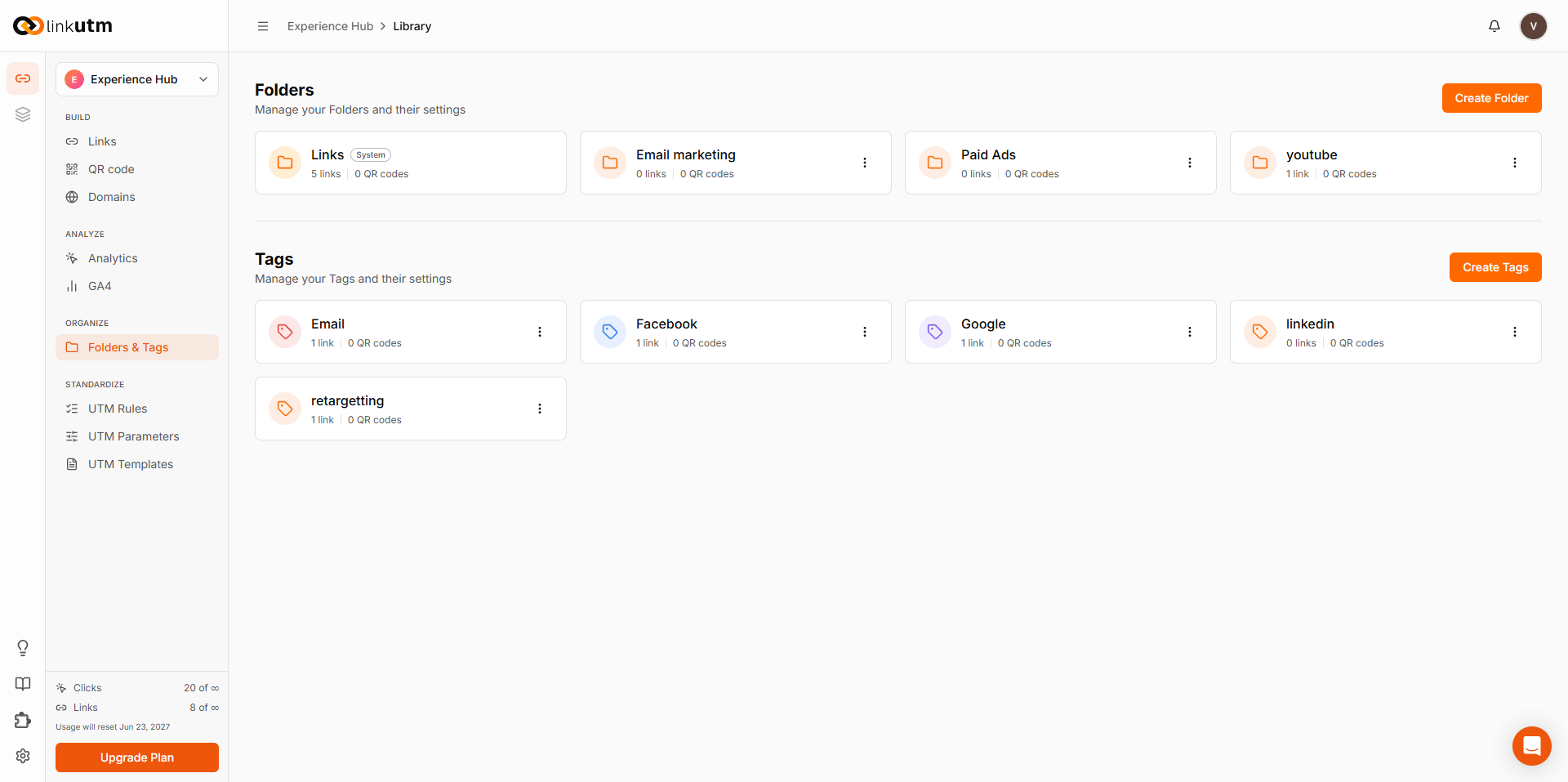
Folders
Folders are flat containers for organizing links inside a workspace. Each folder is separate; folders don’t support nesting. Each link belongs to zero or one folder. Unfiled links live in the Links folder, the workspace system folder.When to use folders
- 30+ links per workspace.
- Per-campaign or per-client grouping.
- Anytime your link list takes more than a glance to scan.
How to use folders
1
Create a folder
Sidebar → Folders & Tags. Name it (case-insensitive unique per workspace), pick a color.
2
Set a default
Mark one folder as Default. The link builder uses this as the pre-selected folder when you create a new link. Only one default at a time per workspace.
3
Move links in
From the link list: select links → Move to folder.
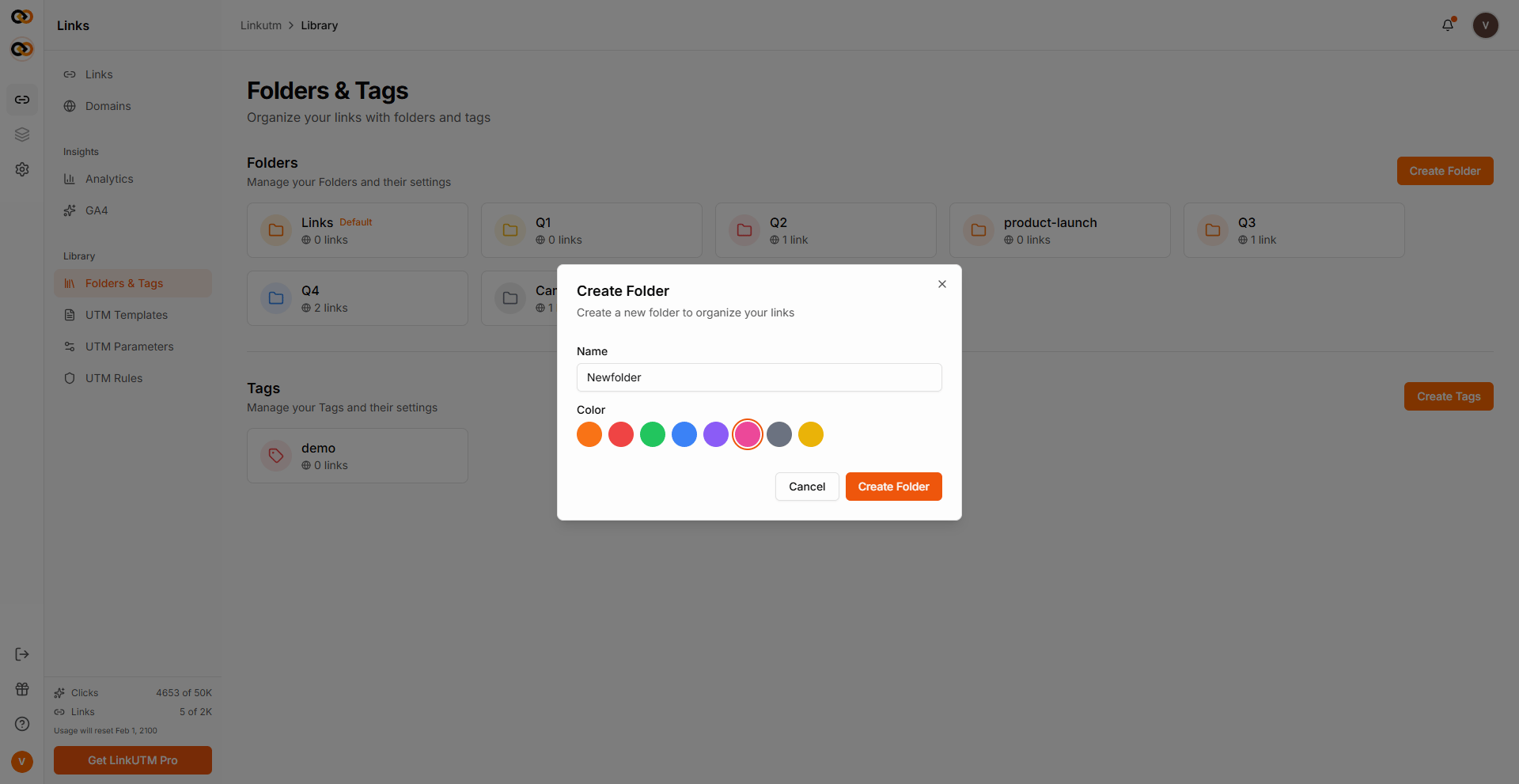
Folder common mistakes
One mega folder
One mega folder
Putting 800 links in “All Campaigns” defeats the point. Split links into separate folders by campaign, client, or quarter.
Same name twice
Same name twice
Folder names are case-insensitive unique per workspace.
Email and email collide.Expecting subfolders
Expecting subfolders
Folders don’t contain other folders. Use clear folder names, such as
Q2 Launch - Email, or use tags for cross-cutting labels.Tags
Tags are color-coded labels on links. Each link can have many tags. Each tag belongs to one workspace. Use them for any cross-cutting attribute that doesn’t fit a single flat folder.When to use tags
- Status:
active,paused,draft. - Channel cohort:
paid-search,paid-social,email. - Quarterly review:
q2-2025,q3-2025. - A/B variants you might compare across campaigns.
How to use tags
1
Create a tag
Sidebar → Folders & Tags → Create tag. Name it (case-insensitive unique per workspace), pick a color (default orange).
2
Apply on a link
From the link builder or the Links list: select the link → Tags → pick one or more.
3
Bulk-tag
On the Links list: select multiple links → Bulk Tag → add tags.
- Add mode appends without removing existing tags.
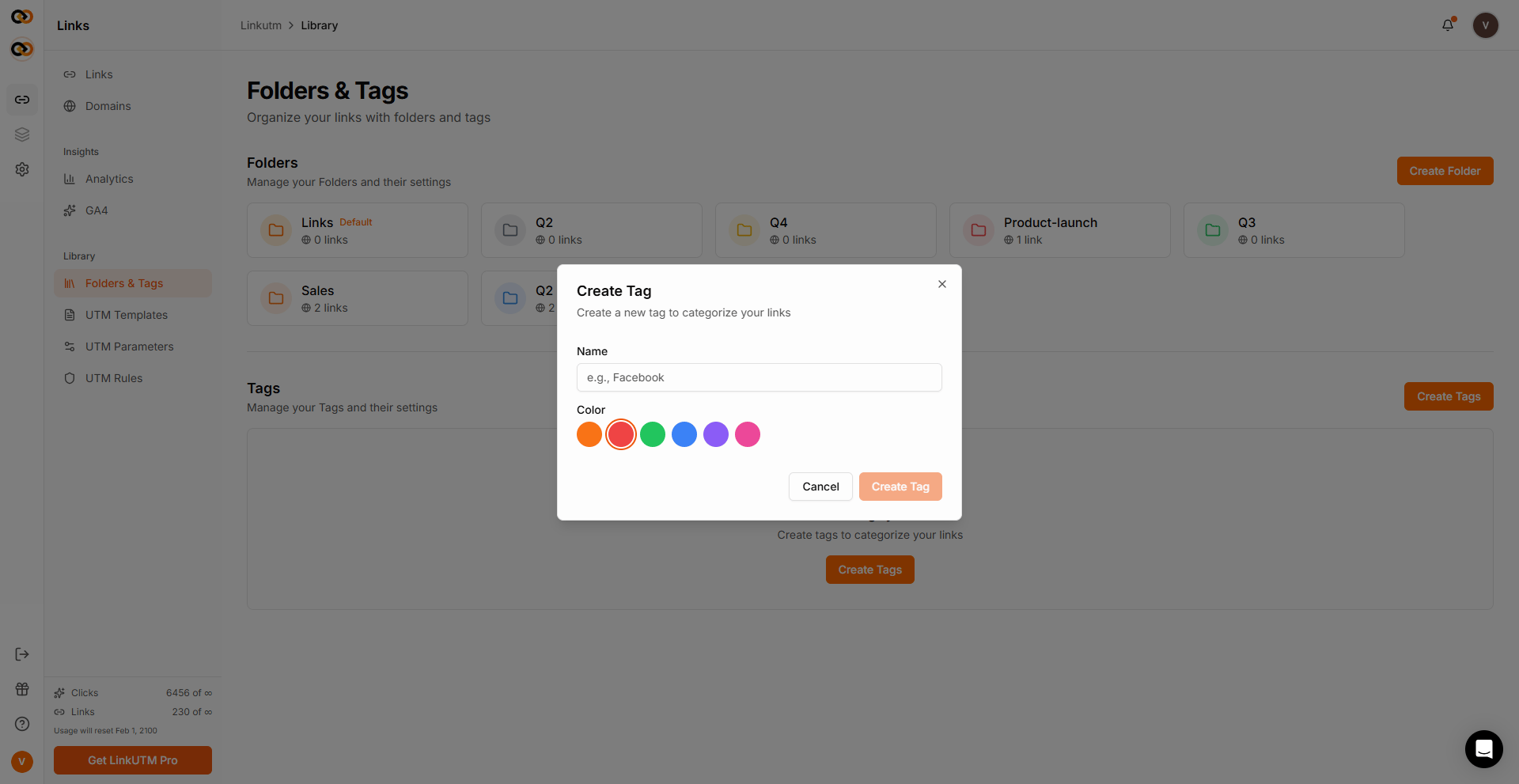
Tag common mistakes
Duplicate names
Duplicate names
Tag names are case-insensitive unique per workspace.
Email and email collide.Color overload
Color overload
More than 8-10 colors becomes visual noise. Reuse colors with distinct names.
Edge cases
Both tags and Folders can be renamed from the 3 dot menu in the Folders & Tags panel.
Deleting a tag removes it from every link automatically. Click history is unaffected.
Real-world example
Agency managing a client campaign:Acme Corp - Email and also carry experiment + seasonal tags. Filter by tag to see cross-folder cohorts instantly.